
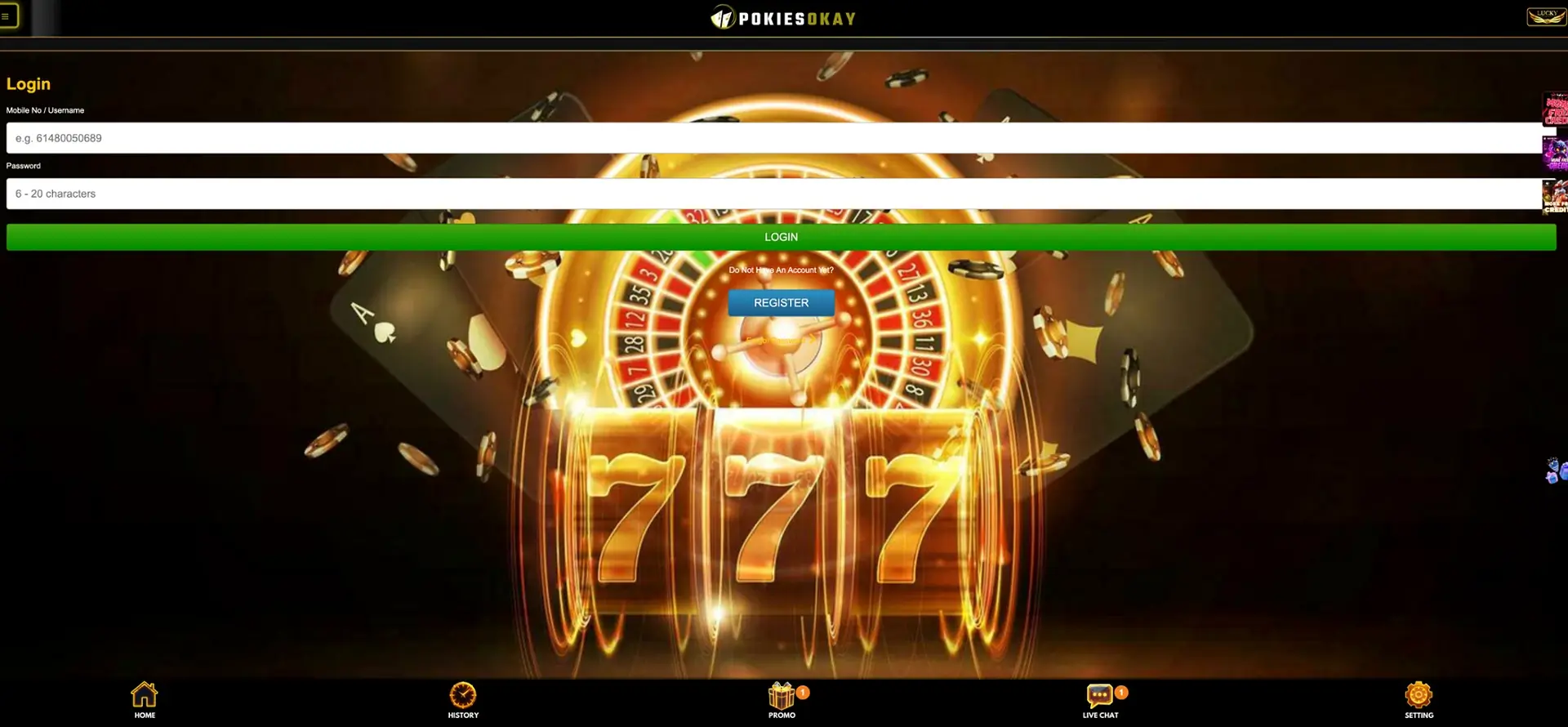
Logging in to PokiesOkay takes seconds: enter your mobile number (or username) and your password, press the green LOGIN button, and you are straight back to your AUD balance, your pokies and every bonus on the Promo page. There is no email to remember and no fiddly two-step - Pokies OK keeps the whole thing as quick as the account creation was. If you've forgotten your password, there is a Forgot Password link right on the login screen to sort it out.
Use the steps below to sign in on desktop or mobile, reset a lost password, secure the account and clear the errors that most often block access. Every instruction follows the controls displayed in the PokiesOkay login screen.
| Detail | Info |
|---|---|
| Login field | Mobile number or username |
| Password | 6-20 characters |
| Reset | Forgot Password link on the login screen |
| Email needed | No |
| Devices | Any mobile or desktop browser |
| Currency | AUD |
| New account | JOIN NOW button on the login screen |
| Help | Live Chat in the bottom navigation |
How to sign in to Pokiesok
The SIGN IN button appears in the account box on the home screen (top-right on desktop), and there is a full login page too. Here's the run-through:
- Open the PokiesOkay site in your browser.
- Select SIGN IN.
- In the Mobile No / Username field, enter your registered mobile number (Aussie format, e.g. 61480050689) or your username.
- Enter your password (6-20 characters).
- Press the green LOGIN button.
- You are in - your AUD balance displays in the account box, with Deposit, Withdraw and Refresh ready to go.
If you do not have an account yet, there is a blue REGISTER button right below the login button, under "Do Not Have An Account Yet?".
Forgot your password?
No dramas. The login screen has a Forgot Password link directly under the login button.
- Select Forgot Password on the login screen.
- Enter your registered mobile number.
- Request a verification code by SMS.
- Enter the code and set a new password (6-20 characters).
- Log back in with your mobile number and the new password.
Because recovery runs through your mobile number by SMS, it is worth keeping that number active and on you - it is the key to your account. If the code does not arrive, give it a minute, check your signal, and request it again before reaching out to Live Chat.
Protecting account access
- Use a password just for PokiesOkay. Don't recycle one from your email or bank - reused passwords are the easiest way in for someone else.
- Guard your mobile. Password recovery runs by SMS, so whoever has your number and phone can reset the account. A screen lock matters.
- Keep your number current. If you change SIM or number, update it before you lose access to SMS recovery.
- Don't sign in on shared or public devices. If you must, log out fully afterward rather than just closing the tab.
- Ignore anyone asking for your password. Live Chat and support never need it.
- Watch for dodgy links. Only sign in from the real PokiesOkay site - type it in or use a saved home-screen shortcut, not a link from a random message.
Login not working? Quick fixes
Wrong number or password
- Check you are entering the mobile number exactly as registered, in Aussie format.
- Watch for a stray space, and remember the password is case-sensitive.
- If it still will not take, use Forgot Password rather than guessing over and over.
Page will not load or the button will not respond
- Clear your browser cache and cookies, then reload.
- Turn off any ad-blocker or script-blocking extension - they can break login forms.
- Try a different browser to rule out a local issue.
- Make sure cookies are switched on; the session needs them.
SMS code not arriving
- Check your mobile signal and give it a minute - codes can lag.
- Make sure the number on the account is the one you are checking.
- Request a fresh code rather than reusing an old one.
- Still nothing? Live Chat can help sort it.
Session dropped mid-play
Usually a connection hiccup rather than an account problem - jumping between Wi-Fi and mobile data can end a session. Just reopen the site and log back in; anything already settled stays on your balance.
What opens after sign-in
- Your AUD balance, with Deposit, Withdraw and Refresh
- The full pokies catalogue and every game category
- The Promo page - daily free spins, free credits, achievement packets and more
- Your VIP club tier and rewards
- Rebates and the rebate calculator
- Referral tools - Share, Downline, Copy
- History and the leaderboards
- Live Chat and the community channels
Common questions
How do I sign in to PokiesOkay?
Select SIGN IN, enter your registered mobile number (or username) and your password, and press the green LOGIN button. No email is involved.
I forgot my password - what now?
Use the Forgot Password link on the login screen, enter your mobile number, request an SMS code, and set a new password. Then log back in with the new one.
Can I sign in without my mobile number?
You can use your username instead of your mobile number in the login field, but password recovery runs by SMS to your registered number, so keep that number active.
Why does my login keep failing?
Usually a mistyped number, a case-sensitive password slip, or a browser extension blocking the form. Check your details, clear your cache, disable blockers and try again - or use Forgot Password.
The SMS code is not coming through - help?
Check your signal, confirm the number on the account, and request a fresh code. If it still will not arrive, Live Chat in the bottom navigation can help.
Do I need to verify to sign in?
No. Verification of your details is tied to withdrawals, not login. You can sign in and play immediately.
Stay in control
Set a budget before you start, never chase losses, and take a break when play stops being fun. Bonus and withdrawal conditions can change, so always confirm the current terms on the casino site.